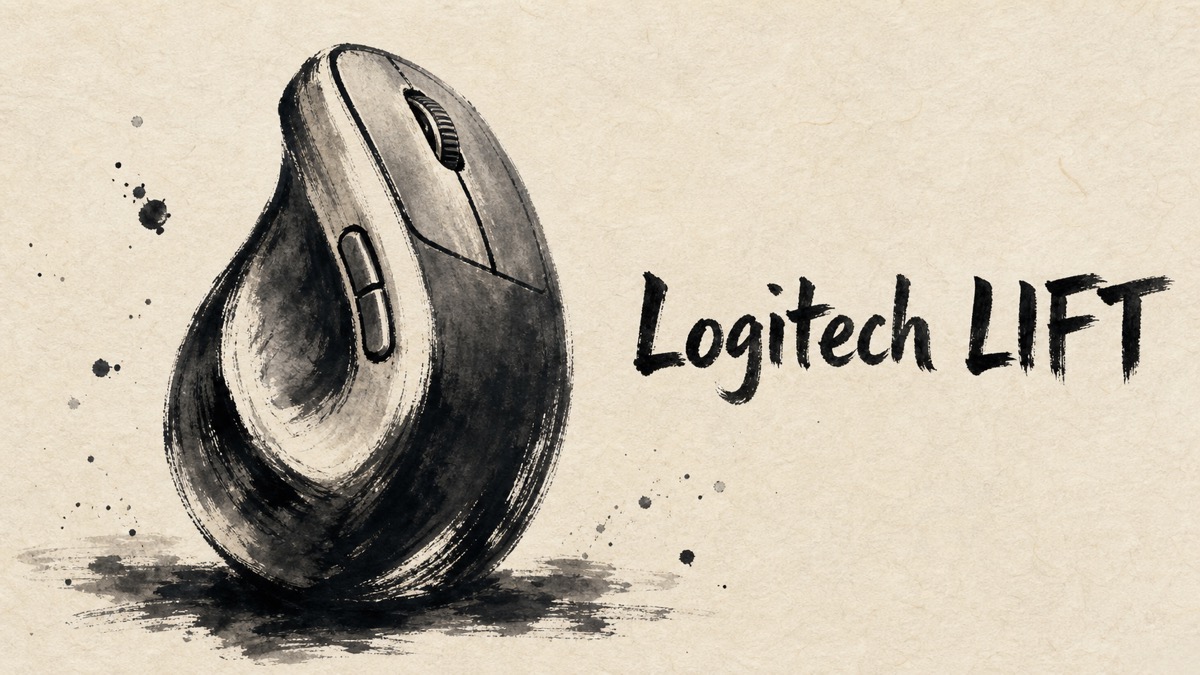
A vertical mouse can look like a minor desk upgrade until the hand position changes the way a familiar task feels. Logitech’s LIFT is built around that change, and the Japanese feedback is unusually consistent on one point: the comfort benefit can be real, but only after the shape proves compatible with the person’s hand and movement habits.
The most useful feedback comes from people who moved from conventional mice for ordinary desktop work. They discuss the quieter controls and easier wrist angle alongside less glamorous details, such as trying the mouse before committing to it and checking which battery and desk surface it will live with.
Amazon.com
Logitech Lift Vertical Ergonomic Wireless Mouse – Graphite
Check current availability on Amazon.com
As an Amazon Associate I earn from qualifying purchases.
What’s Logitech LIFT Vertical Ergonomic Mouse
LIFT is Logitech’s compact vertical ergonomic mouse for small-to-medium hands. Instead of placing the palm flat over the top, its upright body places the hand in a handshake-like position. That design choice is the foundation for nearly every comfort comment in the feedback.
It also aims to work as an everyday productivity mouse rather than a specialist pointing device. Bluetooth or the included Logi Bolt receiver can be used for wireless connection, while Easy-Switch supports moving between devices. Quiet clicks and the fast-scroll SmartWheel matter here because reviewers often describe documents, web pages, and routine office tasks rather than gaming.
The key distinction is that LIFT does not promise the same experience as an ordinary mouse in a more comfortable shell. Its taller grip changes both the wrist angle and the way horizontal cursor movements feel, so fit is part of the product rather than a minor preference.
Positive Reviews
The expanded review set points to four recurring strengths. They matter most when the shape already fits the person’s hand.
- The upright grip can make ordinary desk work feel less strained. Across the feedback, users who settled into the handshake-like position repeatedly described a more comfortable wrist posture in everyday PC work. That is a comfort preference, not a medical claim, but it is the central benefit people noticed.
- Quiet clicks and the SmartWheel are practical work features. Users who matched the size found the body easy to hold; quiet primary clicks and the faster scrolling behavior were especially appreciated for documents, browsing, and shared workspaces.
- Device switching can simplify a mixed desk. Bluetooth and receiver-based use, together with Easy-Switch, were valued by people moving between a work computer and another device.
- Some users adapt quickly to the unfamiliar shape. The transition was not universally difficult: several reviewers reported that the new grip became unobtrusive in routine use once they had spent some time with it.
Negative Reviews
The reservations are not small footnotes. They are closely tied to the same shape that makes LIFT appealing.
- Fit, height, and cursor control can take time to settle. Some users liked the wrist angle but did not find the contour natural. A few also needed time before horizontal movements and precise cursor placement felt dependable.
- The ergonomic form is not automatically comfortable for every hand. Feedback includes both easy adaptation and a complete mismatch, even among users who bought the mouse specifically for its vertical design. Some found the compact body small, while others noticed its height or their hand touching the desk. Trying the grip in a normal working posture is more informative than judging it from a short look.
- Weight and click stability are worth noticing in precision-heavy use. A few people found lifting the mouse less comfortable than expected, while others noticed a small pointer shift when clicking. These are not universal complaints, but they matter if the work involves frequent precise pointing.
- Battery and desk details deserve a quick check. One user found that a particular rechargeable AA cell was awkward to remove. Another found that the magnetic battery-cover arrangement could interfere with smooth movement on a metal desk. These are narrow cases, but they are practical ones.
Product Review Summary
Comfort Depends on the Grip, Not the Label
The LIFT’s value starts with its upright hand position. Users who settled into it described a calmer wrist posture, while others found that the raised body or their usual cursor movements made the mouse feel less natural.
Pros
- Can reduce the sense of wrist twisting during routine desktop work.
- The compact vertical body suits some small-to-medium hands well.
- Quiet operation makes the ergonomic design easier to live with in shared spaces.
Cons
- A vertical mouse still needs to match the user’s hand size and grip habits.
- Horizontal movement and precision may feel unfamiliar at first.
LIFT is strongest when its shape becomes unnoticed during work; if the grip keeps demanding attention, the ergonomic premise has not been earned.
Everyday Controls and Connection
The feedback treats LIFT as a work mouse for pages, spreadsheets, and ordinary navigation. The useful extras are the quiet controls, scrolling behavior, and the option to connect across a mixed-device desk.
Pros
- Quiet clicks and scrolling were welcomed for everyday office tasks.
- Bluetooth and the receiver give flexibility for different computers.
- Device switching is useful where one mouse serves more than one screen.
Cons
- It is not a conventional low-profile mouse for instant, familiar cursor feel.
- The shape matters more than the connection features when deciding whether it will work.
For a desk that alternates between documents and several devices, the controls complement the vertical design rather than distracting from it.
Small Practical Caveats
LIFT uses a replaceable AA battery, and its battery compartment is not something most buyers will think about until their own battery or desk surface exposes it.
Pros
- Replaceable power avoids treating the mouse as disposable when a charge cycle weakens.
- Most feedback on basic operation remains positive even when a small caveat is mentioned.
Cons
- Some rechargeable AA cells may be less convenient to remove.
- A metal desk surface can be worth checking because of the magnetic battery-cover design.
These details will not affect every setup, but they are the kind of ordinary desk conditions that can change an otherwise good first impression.
Amazon.com
Logitech Lift Vertical Ergonomic Wireless Mouse – Graphite
Check current availability on Amazon.com
As an Amazon Associate I earn from qualifying purchases.
Summary
It is recommended for:
- People with small-to-medium hands who can try the upright grip before buying.
- Desk workers who want a quieter mouse and a less twisted hand position.
- Multi-device users who value Bluetooth or receiver-based flexibility.
It may not be the best choice for:
- Buyers who want a conventional mouse feel immediately, especially for horizontal cursor movements.
- People whose hand size or grip does not suit the taller body.
- Setups that use tight-fitting rechargeable AA cells or a metal desk surface without checking the battery-cover behavior.
Logitech LIFT makes the most sense as a deliberate change to the hand position at a work desk, not as a universal replacement for every familiar mouse shape.


Comments