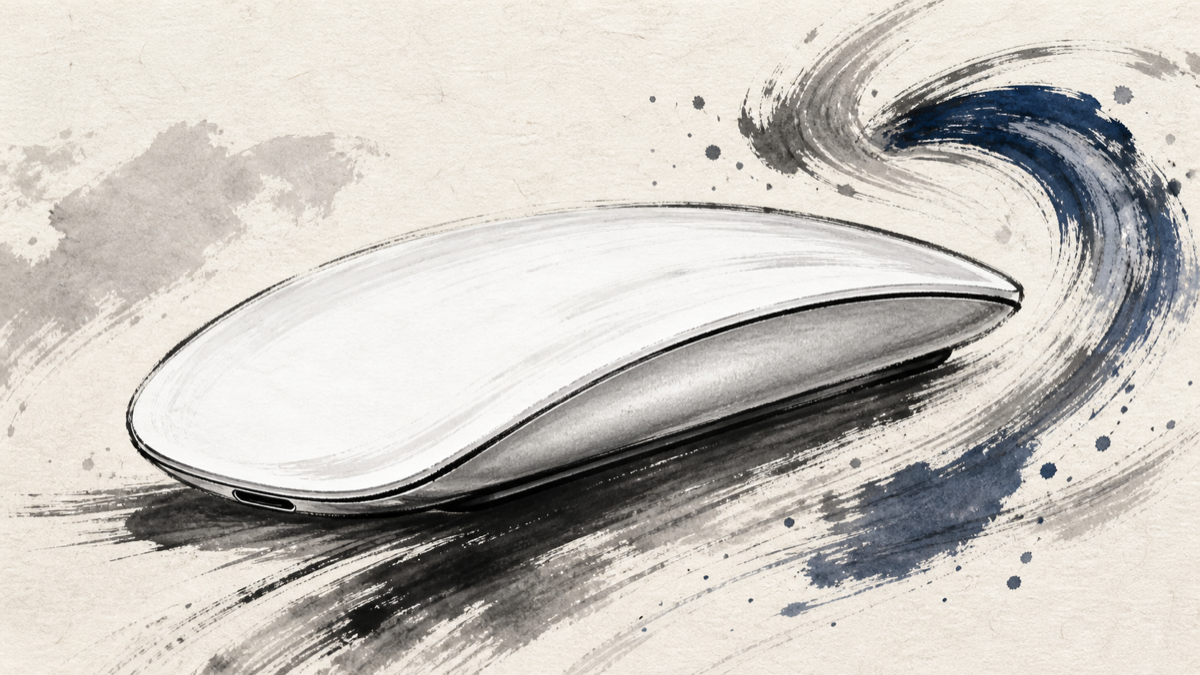
Apple Magic Mouse (USB-C) – White is a low-profile wireless mouse built around a Multi-Touch surface rather than a conventional scroll wheel. Japanese users consistently praise its clean design, Mac integration, and horizontal scrolling, while also describing a real adjustment period for the flat shape and a compromise caused by the USB-C port on the underside. The useful question is not whether it looks distinctive, but whether those gestures and that hand position fit the way you work.
Amazon.com
Apple Magic Mouse – White Multi-Touch Surface
Check current availability on Amazon.com
As an Amazon Associate I earn from qualifying purchases.
What’s Apple Magic Mouse (USB-C) – White
Apple Magic Mouse (USB-C) – White is a 99 g Bluetooth mouse with a 57.1 × 21.6 × 113.5 mm body, a white Multi-Touch top, and a rechargeable battery. Apple lists a USB-C port on the underside and approximately one month or more of use per charge, with automatic pairing for Mac and support for selected iPad use. A woven USB-C cable is included.
The defining choice is the surface. Swipes and two-finger gestures replace the physical wheel, so horizontal scrolling can feel unusually natural in macOS. The same low, smooth shape can also feel unfamiliar if you normally grip a taller mouse. Japanese feedback makes that split clear: the mouse is most appealing when gestures and a light hand-resting posture are part of your routine.
Positive Reviews
- Multi-Touch gestures make horizontal scrolling genuinely useful. Several users describe easy sideways movement in documents and web pages, and some use the mouse alongside a trackpad so each device handles a different kind of task. The gesture layer is the feature that separates this mouse from a basic Bluetooth pointer.
- Mac pairing and Apple-style integration reduce friction. Users pairing it with a MacBook Air or Mac mini appreciate returning to a genuine Apple mouse and having a setup that feels consistent with the rest of their desktop. Automatic pairing and the familiar system gestures help it disappear into the workflow.
- The white, compact design is easy to live with. Reviewers like the clean appearance, low profile, and portable 99 g body. The smooth underside and aluminum construction support a controlled glide when the desk surface is suitable, and the design fits a minimalist Mac setup.
- USB-C and long battery life make routine charging easier. The move from a replaceable-battery model to USB-C is a clear reason to upgrade for some users. Reports of long intervals between charges, together with Apple’s approximately one-month-or-more specification, make daily battery management less prominent.
Negative Reviews
- The flat shape needs a different hand posture. Users coming from a taller, cupped mouse may find the low profile awkward at first, and some report hand or wrist fatigue. A hand that rests lightly on the surface is a better match than a grip that expects strong palm support.
- The underside USB-C port is an awkward compromise. USB-C is welcome, but placing the port underneath means the mouse has to be turned over for charging and makes the cable position easy to forget. Battery life is reassuring; the physical charging routine is less elegant.
- A sensitive touch surface can punish imprecise movement. Some users report accidental gestures, cursor jumps, or a need to adjust pointer speed. The same surface that makes swiping effortless can feel too reactive until the hand learns where to rest and how lightly to move.
- Click feel and desk surface still matter. The click sound can feel loud, and the bottom glide is not equally comfortable on every desk. A mousepad may help, and people who want silent clicks, a deeply sculpted grip, or conventional wheel feedback should treat those preferences as decisive.
Product Review Summary
Multi-Touch gestures and horizontal scrolling
The touch surface is the reason to choose this mouse instead of a conventional Bluetooth model.
Pros
- Horizontal scrolling is quick to access in macOS
- Swipes and two-finger gestures can complement a trackpad
- The surface stays visually clean without a separate wheel
- Gesture shortcuts become efficient once the hand learns the surface
Cons
- Sensitive input can trigger an unintended gesture or cursor movement
- Users who prefer a physical wheel lose familiar tactile feedback
- Gesture value is lower if most of your work uses only vertical scrolling
Choose it for the gestures you will use, not merely for the fact that the surface is touch-sensitive.
Shape, comfort, and learning curve
The low profile looks elegant and travels well, but it asks for a lighter, flatter hand position.
Pros
- Compact 99 g body is easy to carry
- Low profile fits a clean desk and a relaxed hand-resting style
- The smooth shape feels controlled after the adjustment period
Cons
- Tall-mouse users may need time to change their grip
- Hand or wrist fatigue is possible during long sessions
- A deeper ergonomic shell may be a better fit for palm-grip users
Try to imagine your hand resting on the mouse for a full work session before deciding.
USB-C charging and battery life
The new connector removes one old battery habit but does not make the charging port disappear from the decision.
Pros
- USB-C fits a current Mac and accessory setup
- Long intervals between charges reduce daily maintenance
- Rechargeable operation avoids keeping spare disposable batteries nearby
Cons
- The port is on the underside, so charging requires turning the mouse over
- The cable position is easy to overlook when the battery runs low
- A charging cradle or a side-facing port would be more convenient
If charging convenience matters more than connector standardization, account for the port location before buying.
Design and Mac fit
This is a cohesive Apple accessory whose strongest appeal is the way it fits a Mac-centered desk.
Pros
- White finish and aluminum body create a clean, recognizable setup
- Automatic Mac pairing keeps the first-use experience simple
- Lightweight wireless design suits a portable or minimalist workspace
Cons
- Design priorities do not guarantee ergonomic comfort for every hand
- Premium positioning is harder to justify when gestures are not part of your workflow
- Users wanting silent clicks or a sculpted gaming-style grip may be happier elsewhere
The best match is a Mac user who values a tidy desk and uses gestures often enough to offset the unusual shape.
Summary
Apple Magic Mouse (USB-C) – White is a focused choice: elegant, light, and unusually capable at Mac gestures, but less forgiving than a conventional mouse. Japanese feedback supports its horizontal scrolling, clean design, Mac pairing, USB-C transition, and long battery life. The same feedback warns that the flat body, sensitive surface, and underside charging port are not minor details; they define the ownership experience.
Amazon.com
Apple Magic Mouse – White Multi-Touch Surface
Check current availability on Amazon.com
As an Amazon Associate I earn from qualifying purchases.
It is recommended for:
- Mac users who rely on horizontal scrolling and Multi-Touch gestures
- People who prefer a light, low-profile mouse and a clean white Apple setup
- Users replacing an older model who want USB-C and long intervals between charges
- Buyers comfortable learning a flatter hand posture rather than using a deep palm grip
It may not be the best choice for:
- Anyone who needs a strongly sculpted ergonomic shape for long sessions
- Users who want a physical wheel, silent clicks, or a very forgiving pointer surface
- People who need to keep using the mouse while a side-facing charger is connected
- Workflows where Mac gestures and horizontal scrolling add little value
The deciding test is simple: if the gestures would become part of your daily Mac routine and the flat shape feels acceptable, this white USB-C Magic Mouse has a clear purpose. If comfort and conventional controls come first, its distinctive design may feel like work rather than convenience.
Comments