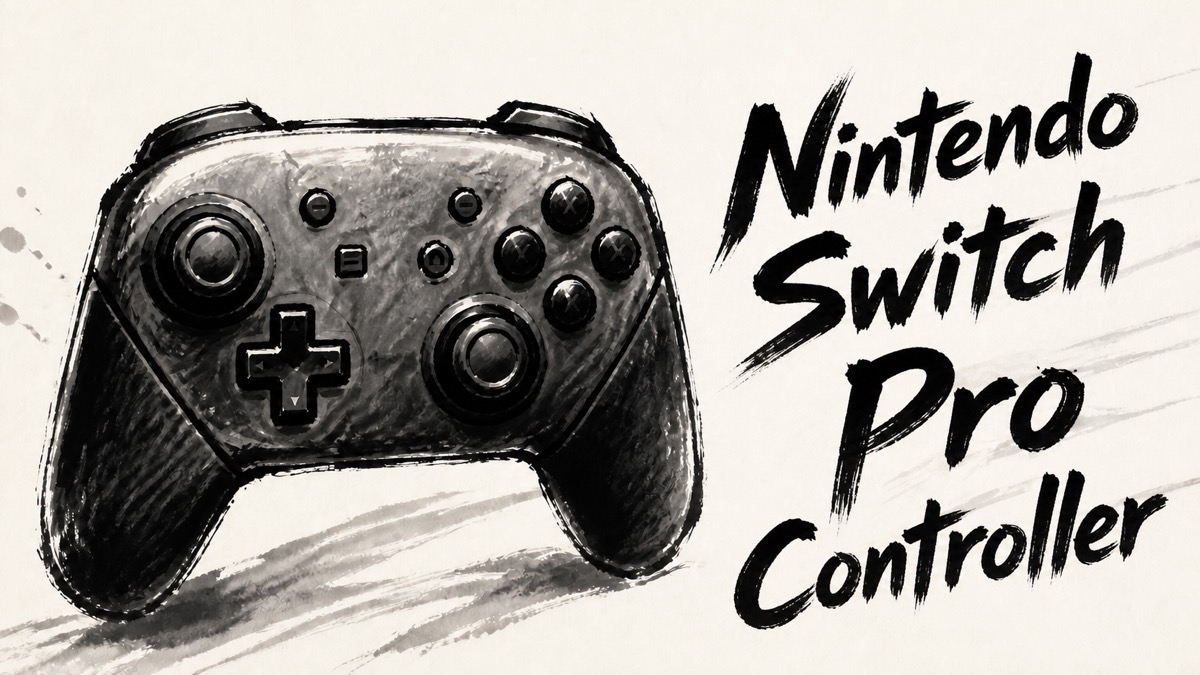
Nintendo Switch Pro Controller is the familiar step up from Joy-Con when the priority is a full-size grip and relaxed TV play. Japanese owner feedback consistently points to comfortable handles, a generous D-pad, responsive buttons, long battery life, and dependable wireless use. Those qualities still make the controller attractive even as players move to Switch 2.
The reservation is durability rather than basic usability. Many owners report years of trouble-free play, but other individual reports describe stick drift, early failures, or a D-pad that does not suit every game. Switch 2 also changes the decision: this controller works for ordinary play, yet it cannot wake the newer console and does not add its newer controller-specific features. The result is a very comfortable classic controller with a few important limits.
Amazon.com
Nintendo Switch Pro Controller
Check current availability on Amazon.com
As an Amazon Associate I earn from qualifying purchases.
What’s Nintendo Switch Pro Controller
Nintendo Switch Pro Controller is a wireless gamepad designed for docked and tabletop play. Its two-hand grip is substantially more relaxed than holding a pair of Joy-Con, and the layout keeps the familiar Nintendo sticks, D-pad, face buttons, shoulder buttons, and system controls in a conventional arrangement. Official hardware features include motion sensing, HD rumble, NFC support, Bluetooth, and USB-C charging. The rated battery life is about 40 hours, though real sessions vary with use and age.
The controller is compatible with ordinary Switch play and can also be used for normal games on Switch 2. It is not a complete replacement for a Switch 2-specific controller: owners report that the older pad cannot wake Switch 2 from sleep, and it has none of the newer console’s dedicated controls. That distinction matters more than the word “compatible” suggests.
On a computer, the controller can work as a Bluetooth gamepad, but changing between devices may require pairing again. The body is heavier than a small third-party pad, yet that weight contributes to a planted feel in long sessions. This is a traditional, feature-complete Nintendo controller rather than an ultralight pad with back buttons or modular sticks.
Positive Reviews
The positive pattern is unusually practical: owners praise the way the controller feels after an hour of play, not merely the list of features. The following points recur across individual reports.
- The grip is a real improvement over Joy-Con for long sessions. The larger handles give the palms somewhere to rest, while the D-pad and face buttons are easier to reach without squeezing the controller. Several owners describe the shape as comfortable for TV play, action games, and long stretches where Joy-Con would feel cramped.
- Buttons and sticks feel responsive and deliberate. Many reports call out the size of the buttons, the predictable travel, and the firm feel of a new set of sticks. Compared with inexpensive alternatives, the native pad is often described as more precise and less hollow. That does not make every individual unit perfect, but it explains the strong first impression.
- The battery removes a lot of small interruptions. A roughly 40-hour rating means charging is an occasional task rather than a daily ritual for many owners. USB-C is convenient, and wireless play avoids routing a cable across a sofa or around a desk. The battery also adds weight, but most owners treat that as a reasonable exchange for endurance.
- Wireless play is stable once the controller knows the device. Owners generally report reliable reconnects to a familiar Switch, with no dropouts during normal play. The controller is also useful on a PC when Bluetooth support is available. The catch is that moving between devices can involve a fresh pairing step, so it is best thought of as stable rather than effortlessly multi-device.
- The native build feels worth choosing over the cheapest alternatives. Reviews from people who tried third-party pads often mention sturdier plastic, more consistent buttons, and fewer connection surprises here. Long-term users include several reports of four or five years without a serious fault, which gives the controller a reassuring baseline even though it is not immune to wear.
Negative Reviews
The concerns are not simply “some people dislike it.” They describe specific trade-offs that can matter depending on the games, devices, and console generation involved.
- Stick wear and drift remain the durability question. Some owners report years without a problem, but others describe drift after a few months, a stick fault on day one, or a repair after extended use. These are individual reports rather than a measured failure rate. They are still enough to justify checking the seller’s support and keeping expectations realistic about any mechanical stick.
- The D-pad and individual buttons may not suit every genre. One low-rated report found up-input too easy and another described erratic D-pad behavior. Other owners love the pad, so this is not a universal design flaw. It is a reason for players of Tetris, fighting games, or other D-pad-heavy titles to pay attention to their own preference.
- Device switching is less elegant than the single-console experience. Pairing with a known Switch is generally straightforward, but PC or another console may require going through pairing again. If one controller moves between several devices every day, that extra step is more noticeable than it is for a single-Switch setup.
- Switch 2 compatibility has a clear ceiling. Ordinary controls work, but the controller cannot wake Switch 2 from sleep and does not provide newer console-specific inputs. Someone buying a controller solely for Switch 2 should therefore compare the full feature set, not stop at the fact that games can be played.
- It is heavy and conventional by current standards. The weight feels solid to some hands and tiring to others. There are no rear buttons, interchangeable sticks, or other enthusiast controls, and a third-party pad may offer those extras for less. The Pro Controller makes sense when Nintendo’s layout and build quality are the priority; it is less compelling as a feature-per-dollar race.
Product Review Summary
Grip and control feel
The strongest consensus is physical comfort. The handles, D-pad, and face buttons feel more natural than Joy-Con for many adults, and the stable shape suits TV or tabletop play. The same conventional layout also explains the caveat: there are no rear buttons, and D-pad behavior can vary by unit or by the game being played.
Pros
- Comfortable full-size handles for long sessions
- Large, easy-to-reach face buttons and D-pad
- Firm, responsive first-use feel
- Familiar Nintendo layout with motion and HD rumble support
Cons
- Heavier than a compact third-party controller
- No rear buttons or modular controls
- D-pad behavior may disappoint players of input-sensitive games
- A slippery stick or loose button feel is possible on an individual unit
If the goal is to stop gripping Joy-Con tightly, this is the controller’s clearest strength. If advanced remapping or competitive back controls matter more, its traditional design can feel dated.
Battery, wireless use, and PC pairing
The long battery is one of the easiest advantages to appreciate. Owners can leave the controller near the dock and play for many sessions before charging. Wireless operation is usually dependable with a familiar Switch, while Bluetooth PC use is possible but takes more steps when the pairing target changes.
Pros
- Approximately 40-hour rated battery life
- USB-C charging fits common cables and docks
- Stable reconnection to a known Switch is frequently reported
- Wireless play keeps the sofa and desk uncluttered
Cons
- Battery weight makes the controller less light than some rivals
- Switching to a PC or another device can require re-pairing
- A cable or port problem can interrupt charging in an individual case
- Battery performance changes with age and usage conditions
For one Switch shared by a household, the pairing and endurance balance is excellent. For a multi-device desk, plan for an occasional Bluetooth reset rather than expecting instant hand-off.
Durability, sticks, and support
Durability is mixed in the most useful sense: there is substantial evidence of long service, alongside concrete failures that should not be waved away. Several owners describe four or five years of use without a fault, while low-rated reports mention drift, a dead stick, or a repair quote close to the original purchase cost.
Pros
- Many long-term owners report years of normal use
- Solid shell and buttons feel more substantial than cheap alternatives
- Native parts and support are easier to identify than on an anonymous pad
- A sturdy feel helps the controller stay planted during play
Cons
- Mechanical sticks can eventually drift or lose sensitivity
- A few reports describe defects from the first day or first months
- Repair cost and turnaround may affect the value calculation
- No controller can guarantee a particular service life
Treat the Pro Controller as a well-built mechanical pad, not a no-wear accessory. A clear warranty and sensible care matter, especially for a household that plays every day.
Switch 2 compatibility and long-term fit
This is where a previously easy recommendation needs a qualifier. The controller remains useful for ordinary Switch 2 games, and some owners deliberately bought it rather than waiting for a new pad. It cannot wake Switch 2 and does not supply the newer console’s dedicated controls, however. It is best viewed as a comfortable existing controller that carries forward, not as the fullest Switch 2 experience.
Pros
- Normal game controls work on Switch 2 in reported use
- Existing Switch owners can keep using a familiar pad
- Motion, HD rumble, NFC, and the conventional layout remain useful
- No need to relearn the basic Nintendo arrangement
Cons
- Cannot wake Switch 2 from the controller
- No newer console-specific buttons or interactions
- Buying for Switch 2 alone may make a newer model more logical
- The older design has fewer enthusiast features than modern rivals
The fit is straightforward: choose it for comfort, battery, and Nintendo’s familiar controls; choose a newer Switch 2-specific option if waking the console or using every new input is central to the routine.
Summary
Nintendo Switch Pro Controller remains one of the easiest ways to make long Switch sessions feel less cramped. Its full-size grip, clear button layout, long battery, and reliable wireless behavior explain why owners keep returning to it, including people who moved from Joy-Con or an inexpensive third-party pad. The native build also has a track record of several years for many users.
The caveats are concrete rather than cosmetic. Mechanical sticks can drift, a small number of units show early faults, and D-pad feel is not universal. PC pairing is workable but not frictionless across several devices. On Switch 2, ordinary play works, but the controller cannot wake the console and does not provide newer dedicated inputs.
Amazon.com
Nintendo Switch Pro Controller
Check current availability on Amazon.com
As an Amazon Associate I earn from qualifying purchases.
It is recommended for:
- Switch owners who want a relaxed, full-size grip for TV or tabletop play
- Players who value a long battery and dependable wireless use on one main console
- People replacing Joy-Con or a cheap pad with a more substantial native controller
- Switch 2 owners who need ordinary controls and do not require console wake or new inputs
It may not be the best choice for:
- Buyers who want every Switch 2-specific feature from one controller
- Players who need rear buttons, remapping, or modular/Hall-effect sticks
- Anyone unwilling to accept the possibility of stick wear over long use
- Households that switch between several Bluetooth devices throughout the day
- D-pad specialists who cannot tolerate even a small amount of input variation
Choose the Pro Controller for its feel and endurance, with support coverage as part of the purchase decision. It is a comfortable, proven Nintendo pad, but its age shows in the missing Switch 2 controls and in the fact that mechanical sticks can still wear.
Comments