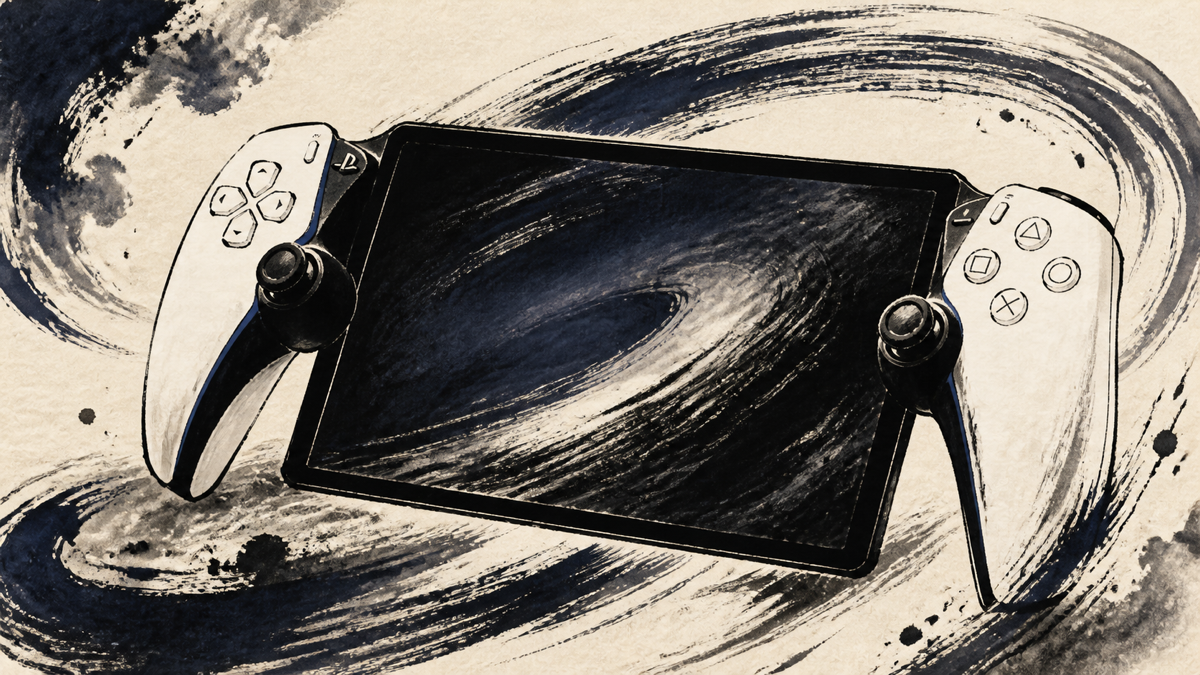
PlayStation Portal makes the most sense when the question is not “Can this replace a console?” but “How can I keep playing when the TV is busy?” Feedback from Japanese owners is unusually consistent on that point. The large white remote player can turn a bedroom, sofa, or spare room into a PS5 play space, provided the home network is ready for it.
The same feedback also draws a firm boundary around the idea. Portal is a dedicated PS5 companion, not a general-purpose handheld. Connection quality affects latency and image stability, the body is substantial in the hands, and cloud streaming, audio devices, and supported games all come with conditions. This summary maps those trade-offs so you can decide whether your own room and play habits fit the product.
Amazon.com
PlayStation 5 Portal Remote Player
Check current availability on Amazon.com
As an Amazon Associate I earn from qualifying purchases.
What’s PlayStation Portal Remote Player
PlayStation Portal Remote Player CFIJ-18000 is a white, Wi-Fi-connected screen and controller designed to stream compatible PS5 games from a paired PS5. It has an 8-inch full-HD LCD capable of up to 60fps and carries over important DualSense features, including haptic feedback and adaptive triggers, in supported games. It is made for remote play rather than local game installation, so the PS5, a PlayStation account, and a suitable network remain part of the setup.
The dedicated shape is the point. Instead of taking over the television, Portal puts the PS5 session in your hands while another person watches or uses the main screen. The official feature set also includes 3D audio through compatible PlayStation Link devices or a wired headset. PlayStation Plus Premium can add cloud streaming for eligible games, but the catalog, plan, and network requirements mean that this is an expansion of the use case, not a promise that every PS5 game becomes available without a console.
Positive Reviews
- It frees the main TV without abandoning the PS5 library. Owners repeatedly describe playing in bed, in another room, or while family members use the television. That is the clearest reason to buy Portal: it solves a household scheduling problem with a purpose-built device.
- The screen and controller feel closer to a real PS5 session than a phone or clip-on accessory. The readable display, familiar button layout, haptic feedback, and adaptive triggers make longer RPG or adventure sessions feel natural when the connection is stable.
- A good home network can make it feel remarkably immediate. Several reviews report little noticeable delay or noise on a stable Wi-Fi setup. Portal also starts quickly and keeps the experience focused, without asking the owner to juggle a separate controller and screen.
- Cloud streaming has made the device more useful than its original role suggested. Eligible games can be streamed with PlayStation Plus Premium, allowing play when the PS5 is off or being used by another account. Users who already have the right plan see this as a meaningful expansion rather than a minor feature.
Negative Reviews
- The network is part of the product. Weak or busy Wi-Fi can bring connection retries, freezes, image softness, and visible latency. Reviews that were positive at home often became less enthusiastic on outside networks, so the router and play location deserve as much attention as the device itself.
- The large body is comfortable for some setups but tiring to hold for long periods. The grips and screen are generous, yet the weight and width encourage users to rest Portal on a lap, cushion, or arm. It is portable around a home; it is not especially light travel gear.
- This is not a standalone handheld. Installed games still depend on a paired PS5, and cloud play covers only eligible titles under the required subscription. Button mapping, touch input, and game-specific controls can also be less convenient than on the original console.
- Audio and peripheral choices are narrower than many people expect. Bluetooth earbuds are not a universal option, and wireless audio may require compatible PlayStation Link hardware. Touch controls, charging behavior during setup, and the lack of an all-purpose media role add to the sense that Portal is a focused tool rather than an everything device.
Product Review Summary
The strongest case: freeing the TV
Portal earns its place when the main screen is shared and the owner still wants access to the PS5 library.
Pros
- Lets one person keep playing while another uses the TV
- Works naturally in a bedroom, living room, or other Wi-Fi-covered room
- Keeps the PS5 controller layout and feedback in a dedicated device
Cons
- Has little purpose if the PS5 and its network are rarely available
- Does not replace the console or make the entire library local
- Its value depends on a specific household routine
If TV access is the problem you are trying to solve, Portal’s focused design is an advantage. If you want an independent console, it is the wrong category.
Network quality and latency
The difference between “this feels great” and “this is frustrating” is often the connection between the PS5, router, and play location.
Pros
- Stable home Wi-Fi can deliver smooth, low-friction play
- RPGs, adventures, and slower strategy games are forgiving of small delays
- The dedicated screen makes network play simple to start and stop
Cons
- Congestion or an older router can cause freezes, blur, retries, and dropouts
- Fighting, rhythm, FPS, and other precision-sensitive games expose latency sooner
- Outside networks are harder to predict than a well-tuned home setup
Treat network readiness as a purchase requirement, not a post-purchase tweak.
Screen, controls, and physical comfort
The 8-inch 1080p screen and DualSense-derived controls are repeatedly praised, but the same scale creates the main physical compromise.
Pros
- Large, readable display for PS5 menus and game text
- Familiar sticks, buttons, haptics, and adaptive triggers in supported games
- White hardware matches the PS5 aesthetic and feels purpose-built
Cons
- Width and weight can become tiring without support
- Some buttons, touch actions, or game-specific inputs feel less convenient
- The device occupies more storage space than a small handheld
The best posture is often “controller and screen supported by something,” not “light console held one-handed.”
Cloud streaming, audio, and limitations
Recent software support broadens Portal, but it does not remove the conditions around it.
Pros
- Eligible cloud games can run even when the PS5 is off or busy
- DualSense-style feedback remains part of the experience
- Wired audio and compatible PlayStation Link devices cover serious listening needs
Cons
- PlayStation Plus Premium and eligible titles are required for cloud streaming
- Bluetooth audio is not a universal plug-and-play path
- Game compatibility, touch input, and account conditions still vary
Portal rewards buyers who read the compatibility details before they expect a particular game or headset to work.
Summary
PlayStation Portal Remote Player CFIJ-18000 is a compelling solution to one narrow but common problem: keeping a PS5 session available when the television is shared. Its bright 8-inch screen, familiar controls, and supported DualSense effects make it feel more intentional than a makeshift remote-play setup. Stable home Wi-Fi can turn that design into a genuinely convenient second screen for the console.
The compromises are just as clear. The device is large, network quality shapes every session, and cloud streaming or audio support depends on plans, compatible games, and compatible hardware. Think of Portal as a comfortable PS5 satellite for a well-prepared home, not as a lightweight standalone handheld.
Amazon.com
PlayStation 5 Portal Remote Player
Check current availability on Amazon.com
As an Amazon Associate I earn from qualifying purchases.
It is recommended for:
- PS5 owners who regularly share the main television
- Players with reliable Wi-Fi in the bedroom, living room, or other preferred spot
- RPG, adventure, and other games that benefit from a large screen and familiar controls
- PlayStation Plus Premium members who understand the eligible cloud catalog
It may not be the best choice for:
- Buyers looking for a standalone handheld with local game installation
- Players whose Wi-Fi already struggles with remote play
- Competitive or rhythm-focused players who are highly sensitive to latency
- Anyone who expects lightweight travel, universal Bluetooth audio, or every game input to transfer perfectly
If the TV-sharing problem sounds familiar and the network is solid, Portal’s focused design is easy to justify. If those two conditions are missing, the large body and dependency on the PS5 can make it feel more limited than its screen suggests.

Comments