Portable SSDs are easy to overbuy. A spec sheet makes almost every modern model look fast, but real users tend to notice different things after the drive has been tossed into a bag, connected to several devices, or used for a large transfer at the end of a long day.
That is where Samsung T7 Shield 1TB becomes interesting. Japanese feedback is generally positive, but not because the drive feels magical. Users like it when they need a compact, sturdy-feeling SSD that can move between devices without much fuss. The reservations are practical too: price, setup conditions, and the gap between advertised speed and what a particular cable or port can actually deliver.
Amazon.com
Samsung T7 Shield 1TB
Check current availability on Amazon.com
As an Amazon Associate I earn from qualifying purchases.
What’s Samsung T7 Shield 1TB
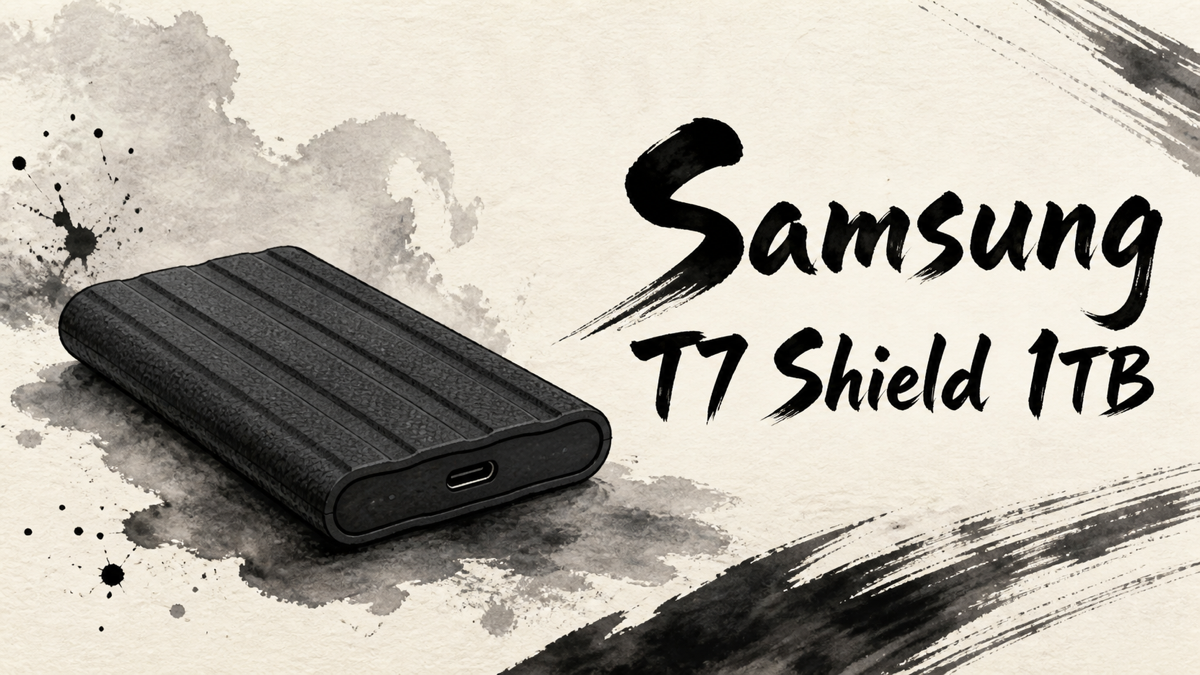
Samsung T7 Shield 1TB is a portable external SSD built around the idea that fast storage should also survive daily movement better than a plain metal or plastic drive. It sits in the same broad family as Samsung’s T7 portable SSDs, but the Shield version adds a more rugged exterior and is positioned for people who carry working files, photo and video material, game data, or backups outside a fixed desk setup.
The official positioning emphasizes a compact body, USB 3.2 Gen 2 class transfer speeds, IP65-rated dust and water resistance, drop resistance under controlled conditions, and software support for security and drive management. Those details matter here because the Japanese reviews do not simply say “it is fast.” They connect speed with where the drive is used: next to a laptop, with a game console, on a camera-adjacent workflow, or as a bag-friendly backup drive.
It is still an external SSD, so the connected device matters. The cable, USB port, file size, format, and host device can all affect the experience. Japanese user feedback is strongest when buyers understand that distinction before purchase.
Positive Reviews
Positive feedback clusters around the practical experience of carrying and using the drive, not around one isolated specification.
- Many users describe everyday transfer speed as fast enough for backups, large files, game data, and general work storage.
- The compact body is a major strength because the drive is easy to keep beside a laptop or carry in a small pouch.
- The rugged-feeling exterior gives users more confidence than a bare portable SSD when the drive is moved around often.
- Compatibility with PCs, Macs, game consoles, and recent mobile devices is a common reason people consider it a flexible storage tool.
- Several buyers trust the Samsung brand and domestic warranty positioning when choosing storage for important files.
- The 1TB capacity is often viewed as a useful middle ground for photos, video material, games, and backups without jumping to a much more expensive model.
Negative Reviews
The criticism is less about one fatal flaw and more about matching the drive to the buyer’s real setup.
- Price is the most obvious hesitation, especially when cheaper portable SSDs or non-rugged T7 models are available.
- Real transfer speed depends heavily on the host device, USB port, cable, and file workload, so some users may not see the headline speed.
- The rugged design can be misunderstood; dust, water, and drop resistance are reassuring, but they do not make the drive careless-proof.
- Large continuous transfers can make users pay attention to heat or possible speed changes over time.
- First-time setup may require formatting, software decisions, or device-specific checks before the drive works exactly as expected.
- Buyers who only need a drive to sit permanently on a desk may not benefit much from paying for the Shield model’s tougher exterior.
Product Review Summary
Everyday Transfer Speed
Speed is the first reason people look at the T7 Shield, but Japanese feedback frames it as convenience rather than a benchmark contest.
Pros
- The drive feels quick for ordinary backups, photo folders, game storage, and project files.
- Users moving from hard drives or older USB storage are more likely to notice the upgrade immediately.
- The 1TB model gives enough room for regular work data without making the purchase feel as large as a 2TB or 4TB jump.
Cons
- The best speed depends on using the right USB port and cable.
- Small-file transfers, older computers, and lower-speed ports can make the experience feel less dramatic.
- People buying only for a maximum-speed number may be happier checking their whole device chain first.
The drive earns its praise when speed removes waiting from normal work; it is less convincing if the buyer expects every transfer to match the top-line figure.
Portability and Durability
This is the part of the product that gives the Shield version its identity.
Pros
- The small body makes it easy to carry with a notebook PC, camera bag, or game setup.
- The textured, rugged-feeling shell makes the drive feel less delicate than a smooth portable SSD.
- Dust, water, and drop-resistance claims add peace of mind for people who move storage between locations.
Cons
- “Rugged” should not be read as permission to treat the drive roughly.
- Dust, water, and drop-resistance claims do not remove the need for separate backups.
- Buyers who rarely move the drive may not feel much benefit from the tougher exterior.
Japanese feedback supports the idea that the Shield model feels safer for daily carrying, not that it removes the need for careful handling.
Device Fit and Setup
T7 Shield 1TB is most satisfying when the buyer already knows where it will be used.
Pros
- Laptop users who want one compact drive for work files and backups.
- Console users who need external storage or a faster portable transfer drive.
- Creators who move photo or video folders between machines.
- Mobile-device users who understand their phone or tablet’s storage and cable requirements.
Cons
- Some devices may need formatting before the drive is convenient to use.
- Security or management software can be useful, but not every user wants another utility in the workflow.
- Phone, tablet, and console behavior can vary, so the device side should be checked before purchase.
The drive is flexible, but that flexibility depends on the buyer’s ports, cables, file systems, and device rules.
Value Compared With Simpler Drives
The T7 Shield 1TB is not judged as the cheapest way to add one terabyte of storage.
Pros
- The buyer carries the drive frequently.
- External storage is used for active work, not only occasional archiving.
- A compact body and sturdier exterior reduce daily anxiety.
- Samsung’s brand reputation and warranty support matter to the buyer.
Cons
- The drive will stay plugged into one desk most of the time.
- The buyer only needs basic backup storage.
- The connected device cannot take advantage of faster USB performance.
- A lower-cost portable SSD would solve the same problem.
Japanese feedback makes the T7 Shield look less like a bargain purchase and more like a practical premium choice for mobile storage.
Amazon.com
Samsung T7 Shield 1TB
Check current availability on Amazon.com
As an Amazon Associate I earn from qualifying purchases.
Summary
Samsung T7 Shield 1TB receives favorable Japanese feedback because it combines fast everyday storage with a body that feels ready to leave the desk. The praise is strongest from people who carry files between devices, use external storage for active projects, or want a compact SSD that feels less fragile in a bag.
It is recommended for:
- Laptop users who want compact external storage for work files and backups.
- People who carry an SSD between home, office, school, or travel setups.
- Console and creator workflows where portable, fast storage is useful.
- Buyers who value Samsung’s storage reputation and a tougher-feeling exterior.
- Users who understand that speed depends on the full USB chain, not the drive alone.
It may not be the best choice for:
- Buyers looking for the lowest-cost 1TB external drive.
- People whose drive will stay connected to one desktop setup.
- Users with older USB ports that will limit transfer speed.
- Anyone who expects rugged claims to replace careful handling and separate backups.
- First-time external SSD buyers who do not want to think about formatting or device compatibility.
T7 Shield 1TB works best when its toughness is used, not merely admired: the more often the drive leaves the desk, the easier its premium is to understand.
Comments